Sell on Shopify and WooCommerce without overselling.
When something sells in one place, InventoryLink updates your stock on Shopify, WooCommerce and your own site within seconds.
Ceramic Mug 12 oz, Black
Try it: make a sale
Shopify
Online store
MUG-12OZ-BLK
42in stock
WooCommerce
WordPress store
MUG-12OZ-BLK
42in stock
Sync log
- Nothing synced yet. Sell a mug to see it land.
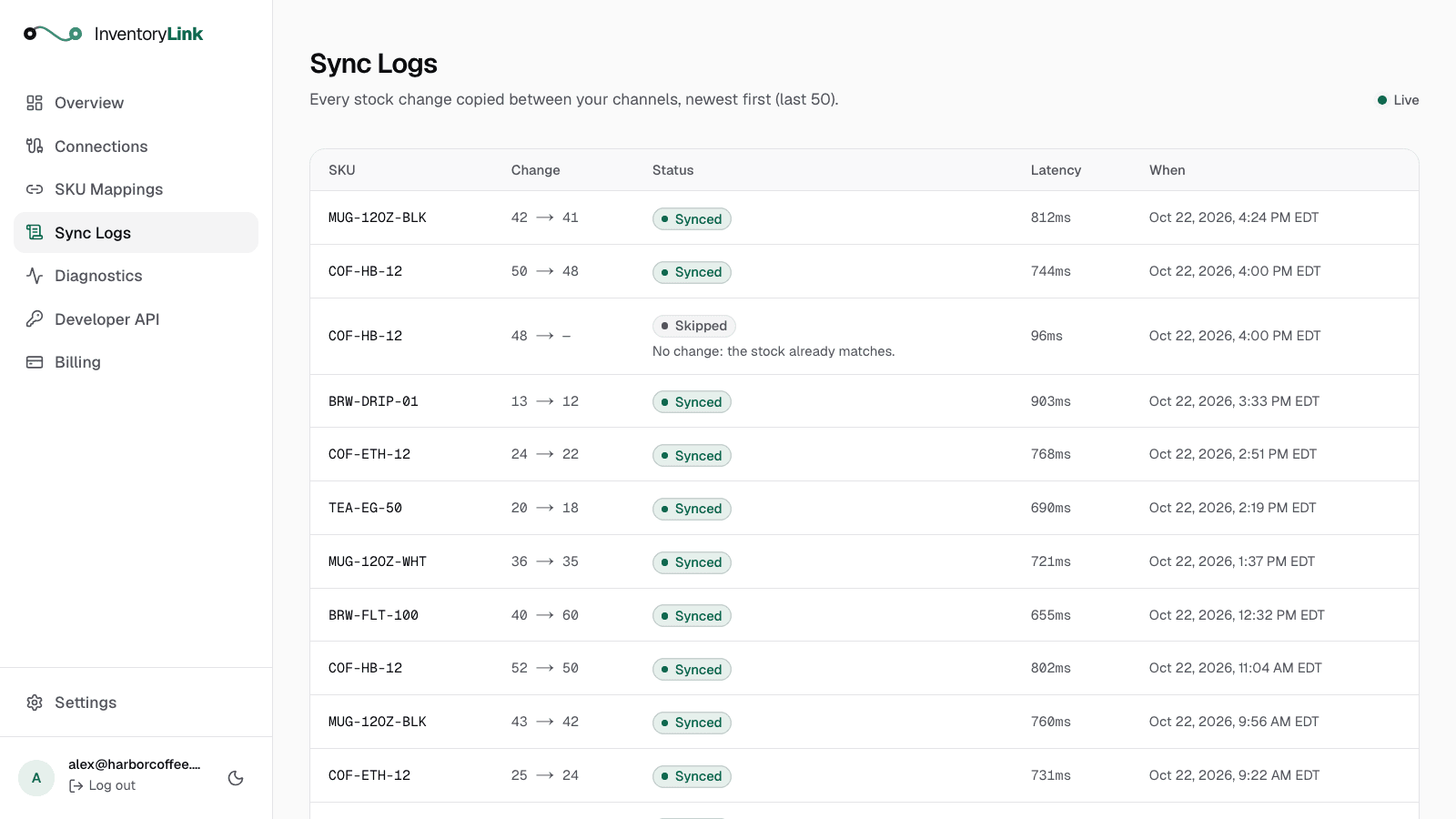
See where every unit went.
Each sale shows up in your sync log with the count before and after. If two channels ever disagree, diagnostics shows which one and what to do.
Set up once.It keeps itself in sync.
No spreadsheets, no nightly imports and no counting the same shelf twice.
Step 1: Connect your stores
Sign in to Shopify or WooCommerce from InventoryLink and approve access. It takes about a minute, and there's nothing to install.
Step 2: Match your products
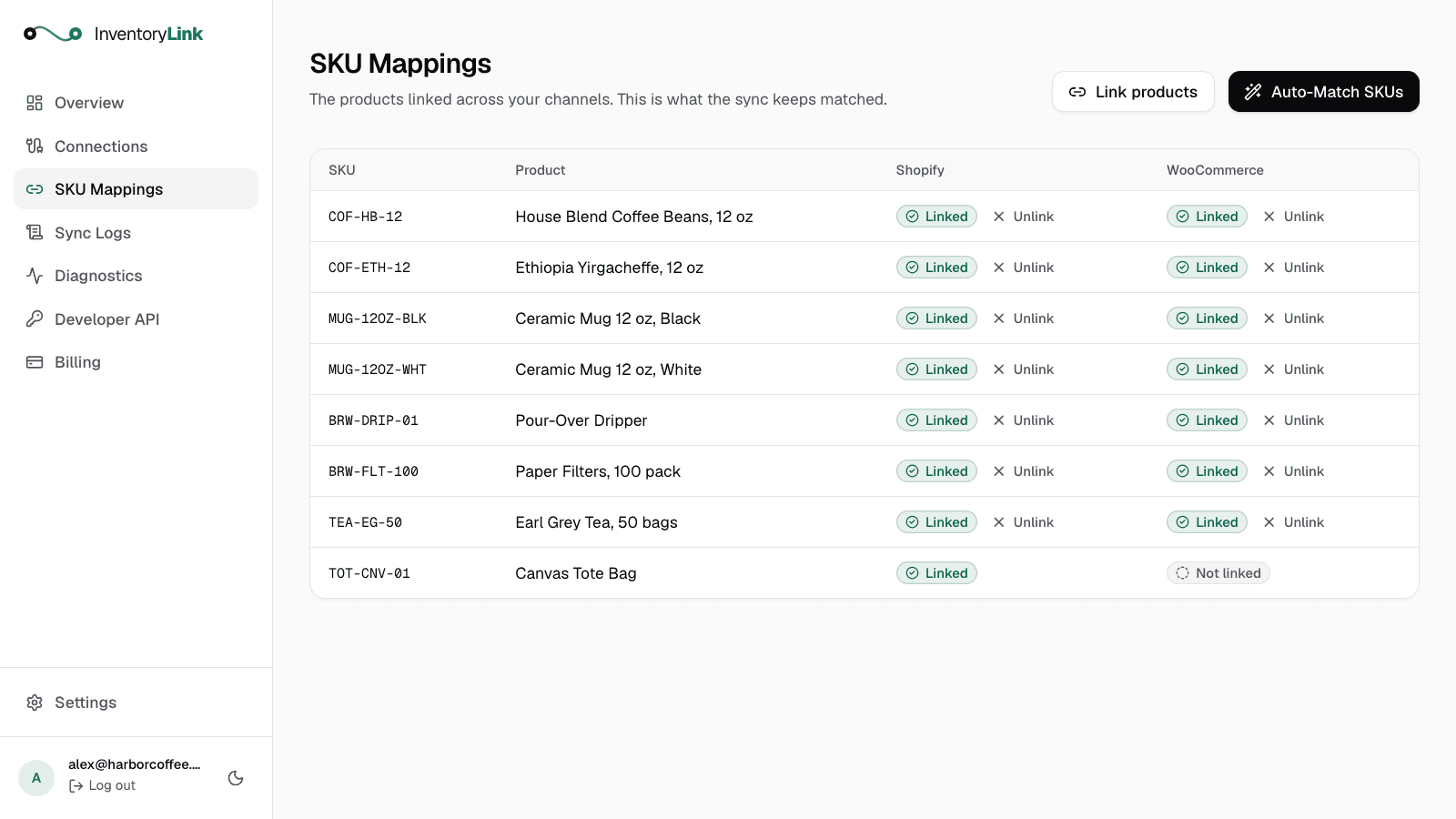
Products that share a SKU are paired automatically. Review the matches and pick which Shopify location your store syncs with.
Step 3: Sell anywhere
Every sale, return or stock adjustment is copied to your other channels within seconds. Each one shows up in your sync log.
The checks that keep counts right.
InventoryLink double-checks every update and every channel, so a lost notice or a busy weekend doesn't end in an oversold order.
Two-way sync
An online order lowers the count at your counter, and an in-store sale lowers it online.
- COF-HB-12linked
- MUG-12OZ-BLKlinked
- TEA-EG-50linked
Automatic SKU matching
Products that share a SKU are paired the moment you connect. No spreadsheet to keep up.
Shopify syncs with
Pick the location
Choose which Shopify location matches your shop, so stores with several locations stay accurate.
COF-HB-1248 → 48skipped
No change: the stock already matches.
Loop protection
Every update is checked before it's sent, so a change never bounces back and forth between your channels.
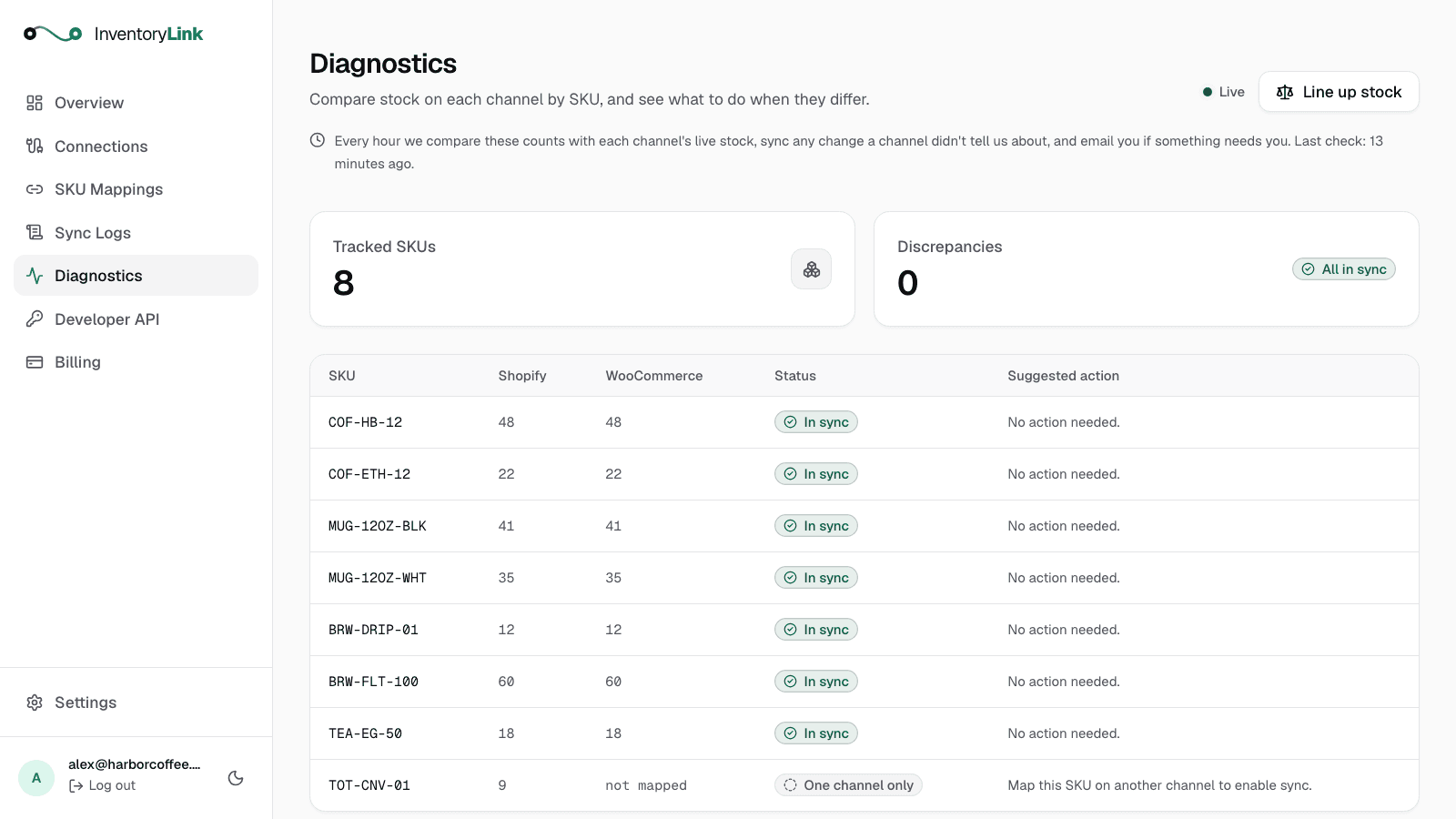
Discrepancies
0
Checked every hour
Each channel's stock is re-checked hourly. A sale whose notice got lost is synced, and you get an email if something needs you.
InventoryLink asks your stores for products, locations and stock levels, nothing else. It never sees your customers, orders or payments, and the keys to your stores are stored encrypted.
Connect your own website or system.
Your website, ERP or warehouse system can report sales through the API, and gets every stock change back as a signed webhook. It's included in every plan.
Read the API docs# report a sale of 3 from your own system
curl -X POST https://inventorylink.app/api/v1/adjustments \
-H "Authorization: Bearer $INVENTORYLINK_KEY" \
-H "Content-Type: application/json" \
-d '{
"sku": "MUG-12OZ-BLK",
"source": "custom-erp",
"delta": -3
}'Priced by how much you sell.
Every plan includes two-way sync, the public API and loop protection, and starts with 14 days free. No card to start.
Starter
For a single store getting started.
$29/month
Up to 800 syncs/mo
Start free trial- Two-way sync: Shopify, WooCommerce and your own website
- Public API and webhooks
- Sync log and diagnostics
- Email support
Pro
For busier stores with more products.
$49/month
Up to 3,000 syncs/mo
Start free trial- Everything in Starter
- Room for more products and sales
MasterMost popular
For high-volume stores.
$79/month
Up to 6,000 syncs/mo
Start free trial- Everything in Pro
- Priority support
Scale
For multiple systems and heavy traffic.
$199/month
10,000+ syncs/mo
Start free trial- Everything in Master
- Help connecting your ERP or warehouse system
- Fastest support response
Billed monthly on your Shopify invoice, or by card if you don't use Shopify. Switch plans or cancel anytime. What counts as a sync?
Common questions
Something else on your mind? Write to support@inventorylink.app.
- How fast does the inventory sync?
- Usually within a few seconds. Shopify and WooCommerce notify InventoryLink as soon as stock changes, and your other channels are updated right away.
- Is my customer data safe?
- Yes. InventoryLink only works with products, SKUs, locations and stock levels: it reads them and updates stock. It never has access to your customers' personal data or their payment details.
- What counts as a sync?
- Each time InventoryLink updates the stock of one product on one of your channels. Updates that were skipped because nothing changed, and failed attempts, don't count. Your count resets on the 1st of every month.
- How does the free trial work?
- Create an account and connect your stores. No card needed. With Shopify, you pick a plan there and are only charged, on your Shopify invoice, if you keep InventoryLink after the 14 free days. Without Shopify, you choose a plan on the Billing page before your 14 days are up and pay by card.
- Can I change or cancel my plan?
- Yes, anytime. With Shopify, the Billing page takes you to Shopify to switch plans, and you cancel by uninstalling InventoryLink from your Shopify admin. Paying by card, you switch plans on the Billing page and cancel in Settings, and you keep your plan until the end of the month you paid for.
Stop counting your stock twice.
Connect your channels in a few minutes and let InventoryLink keep them in agreement.